

10 February, 2026
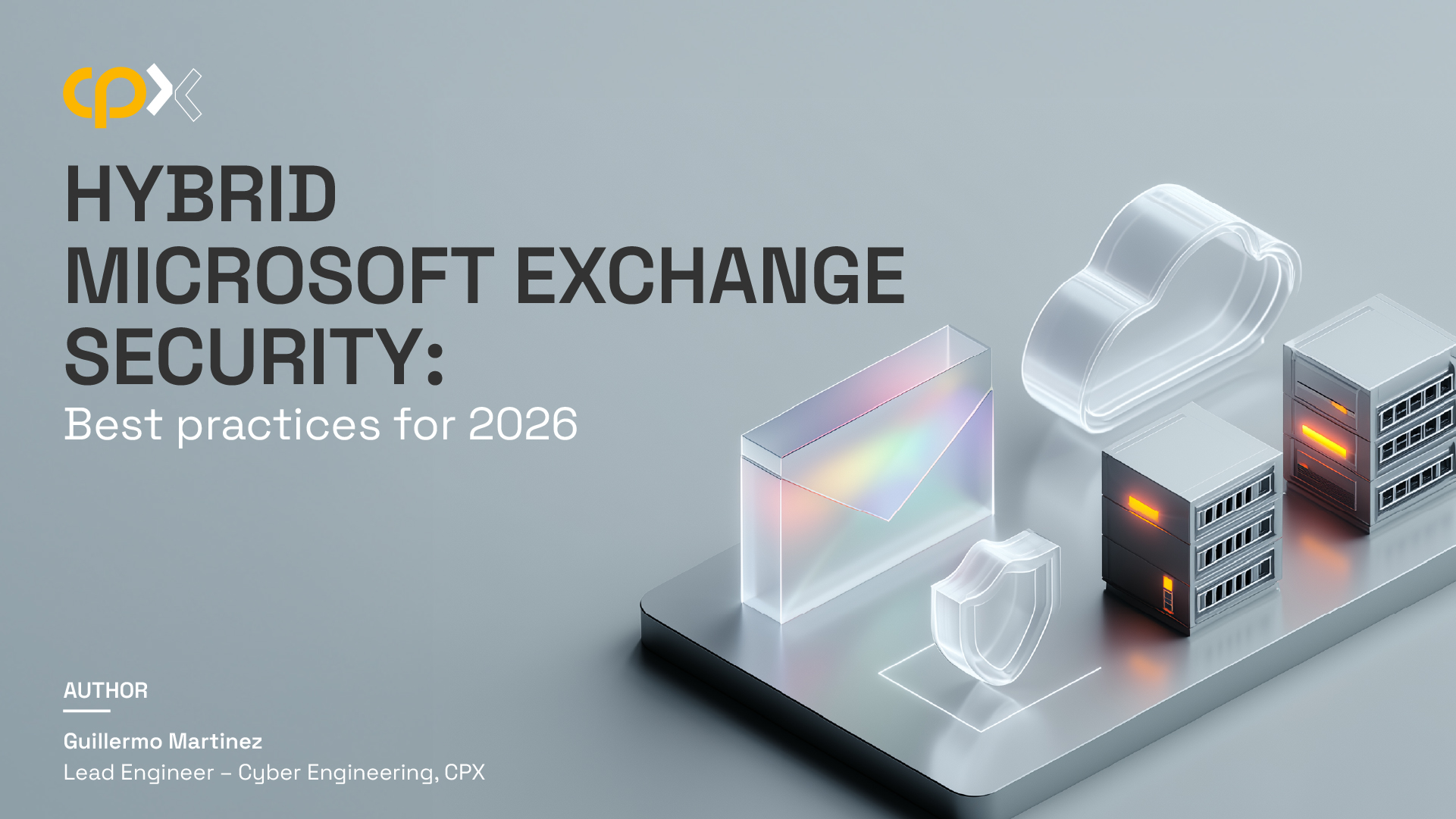
In today's digital landscape, organizations are increasingly adopting hybrid environments to leverage the benefits of both on-premises and cloud-based solutions. Microsoft Exchange Hybrid is a popular choice for businesses seeking to integrate their existing on-premises Exchange infrastructure with Exchange Online.
This article focuses on the security aspects of deploying and managing a hybrid Microsoft Exchange environment. It provides a comprehensive overview of the components involved, best practices for securing each component, and strategies for maintaining a robust security posture.
By following the guidelines outlined in this article, organizations can ensure the seamless and secure operation of their Exchange Hybrid deployments.
Exchange Hybrid enables seamless coexistence between on-premises Exchange servers and Exchange Online. It allows organizations to:
Organizations choose Exchange Hybrid for several reasons:
A successful Exchange Hybrid deployment requires several key components to function optimally. These include Entra Connect, the Hybrid Configuration Wizard, Mail Flow configuration, Exchange Online, Exchange On-Premises, and Entra ID.
Entra connect Is a key component In the Hybrid environment, it synchronizes user and computer accounts from your local Active Directory to Entra ID, Exchange hybrid requires that Entra Connect Is configured in a way that it synchronizes attributes related to Microsoft Exchange to the cloud Identities.
Entra connect application needs to be Installed on a domain joined server. Entra Connect will handle synchronization of user Identities to the cloud, and therefore it should be considered a Tier 0 asset and hardening necessary for servers at this layer should be applied, configure the server with well know hardening benchmarks such as CIS or Microsoft Security Baselines, make sure regular patch Installation is happening for the operative system, local administrator password should be unique and access to server should be restricted to only accounts managing Tier 0 assets. Although the application can be Installed on a Domain Controller, is better to Install It on a dedicated server so exposure to Internet won't put domain controllers at risk.
Entra connect requires a SQL server Instance to store Its user data and configuration, SQL server can be Installed on the same server or on a dedicated server, if a dedicated server Is being used you need to consider this server as a Tier 0 asset as well, so apply all the hardening measures that you apply to the Entra Connect application server. Also, If the SQL server Instance Is separated from the application server, use a group managed service account gMSA for running your services.
Because of the sensitive data that this service manages, a privileged access workstation PAW dedicated to Tier 0 assets should be considered to manage this service, this Is also true for managing the database server. Another alternative Is to manage the server using identity management solutions PAM (Privileged Access Management).
Provide fault tolerance capability to Entra Connect configurations by deploying a second server in stage mode, Entra Connect servers become critical for the organization when Hybrid Exchange Is fully functional.
Chose Password Hash Synchronization over Passthrough authentication as authentication mode, Password Hash Synchronization is simpler to deploy and to maintain, and it will not depend on your on-premise domain controllers, this will reduce single point of failures and attach surface, also, you benefit from the Leak Credentials feature in Entra ID. However, if your organization has strict security policies disallowing the store of password hashes outside the on-premises organization, you will need to use Passthrough authentication.
The Hybrid Configuration Wizard is Microsoft's streamlined solution for configuring hybrid deployments between on-premises Exchange environments and Exchange Online. It automates the complex process of establishing secure connectivity, sharing directory information, and configuring mail flow between these two environments.
Without the wizard, administrators would need to manually configure dozens of individual settings across multiple systems—a process that would be not only time-consuming but also prone to security misconfigurations. The wizard performs crucial tasks including:
One of the most significant security decisions in your hybrid configuration is whether to enable centralized mail transport. Centralized mail transport determines how messages from your Exchange Online users to external recipients are routed. When enabled, these messages are routed through your on-premises Exchange servers before reaching the internet.
Organizations with sophisticated on-premises security solutions or strict compliance requirements should consider enabling centralized mail transport. However, this comes at the cost of creating a dependency on your on-premises infrastructure. The decision should align with your overall security architecture and risk management strategy.
If possible, don't use centralized mail transport, since this will make your online Infrastructure dependent on the on-premises services, choose Instead cloud software as a service (SaaS) solutions that can replace the mail gateway functionality that you are currently using In your on-premises datacenters, most vendors already offer a cloud version of their products.
The HCW offers two primary deployment options: Full Hybrid and Minimal Hybrid, a full hybrid deployment establishes comprehensive integration between environments, including:
A minimal hybrid deployment focuses primarily on directory synchronization and mail routing, excluding features like:
From a strict security perspective, minimal hybrid presents fewer potential attack vectors. However, the operational benefits of full hybrid often outweigh these concerns when proper security controls are implemented. Organizations should only deploy what they need, starting with minimal and expanding to full hybrid if operational requirements demand it.
Perhaps the most important security decision is choosing between the modern hybrid and classic hybrid approaches. Classic hybrid requires on-premises Microsoft Exchange HTTPS ports to be available on Internet so Exchange online can connect to them, it also requires an SSL certificate Issued by a trusted third-party certification authority, this Is the hybrid mode that has been available since the beginning of the hybrid Exchange configurations. Modern hybrid instead, won’t require any exposure of your local Exchange Installation, It utilizes an agent called the hybrid agent. This agent will use Azure app proxy technologies to create a connection endpoint on the Microsoft cloud where Exchange online services can communicate to, so only outgoing HTTPS traffic will occur between your on-premises Installation and Microsoft servers, this greatly enhance security by reducing the attack surface of the overall solution.
When implementing Exchange Hybrid, security should be a primary consideration in your mail flow design. As your organization operates with both on-premises and cloud components, the attack surface increases substantially, requiring strategic configuration and security controls.
For mail flow between Exchange online and Exchange on-premises, the recommendation is to deploy an Edge Transport server, the Edge Transport server role provides a dedicated mail relay positioned at the network perimeter. From a security perspective, this separation offers significant advantages:
While Microsoft has made the Edge Transport role optional in newer Exchange versions, from a security standpoint, it remains highly recommended for Hybrid deployments handling sensitive information. Edge Transport servers should be deployed in a demilitarized zone (DMZ) network segment. This architecture:
Edge transport servers should be hardened using recognized security benchmarks like Center for Internet Security (CIS) or Microsoft Security baselines. Activity on the server should be constantly monitored, and a proper antivirus/malware must be used to protect the operative system.
Additionally, make sure to configure the firewall rules allowing connections to the Edge transport servers on port TCP 25 only from Exchange online endpoints.
For external email (Incoming from and outgoing to Internet), as discussed previously, prefer Cloud-based mail gateway technologies that deliver and receive directly to Exchange Online, moving away from on-premises email hygiene technologies, Is the right way to embrace the adoption of a cloud first architecture.
Regarding email authentication, implement restrictive SPF records that explicitly list all authorized sending sources, enable DKIM signing for both on-premises and Exchange Online mail flows and configure a DMARC record that Instructs mail server to quarantine or reject mails coming from our domains that fails email authentication verifications.
To enhance security in Exchange Online, it is crucial to implement appropriate protective measures. For instance, if Centralized Mail Transport is being used, the Exchange Online receive connector must be configured to accept traffic exclusively from on-premises Exchange servers. This ensures that unauthorized sources cannot relay messages through your cloud environment, reducing the risk of spoofing and malicious email infiltration.
Additionally, configuring Microsoft Defender for Office 365 is essential to safeguarding cloud mailboxes against advanced threats. Leverage key security features such as Safe Links, Safe Attachments, Safe Documents, Anti-phishing policies, and Attack Simulation Training to proactively detect and mitigate phishing attempts, malware, and other malicious activities targeting your users.
To empower employees in identifying and reporting suspicious emails, enable the Report Message button across all Outlook clients, including both desktop and mobile versions. This allows end users to efficiently flag potential phishing attempts or fraudulent communications, contributing to a stronger organizational security posture.
Furthermore, protecting sensitive information is critical. Implement Data Loss Prevention (DLP) policies to automatically classify and secure sensitive emails using Azure Information Protection (AIP). This ensures that confidential data is properly labeled and protected, minimizing the risk of accidental or unauthorized disclosure.
Additionally, provide end users with the ability to classify sensitive content manually and apply encryption and access controls to emails they send, both internally and externally.
Exchange on-premises security also needs to be carefully planned, controlling administrative access represents a critical aspect of infrastructure security. Specialized administrative accounts must be created that limit interaction exclusively to authorized Tier 1 asset managers.
Access should be permitted only through controlled channels, including privileged access workstations or Privileged Access Management solutions that provide granular control and comprehensive auditing capabilities.
The operative system of the Exchange server should also be protected with hardening measures, disks encryption should be implemented by using BitLocker technology in application and operative system disks. A proper antivirus/antimalware solution compatible with Exchange server must be Installed In the server.
Only Transport Layer Security (TLS) version 1.2 should be permitted, ensuring encrypted and secure communications. Mailbox server HTTPS ports must be strategically isolated from direct internet exposure, with client connections permitted exclusively through secure virtual private network tunnels.
A proper backup strategy must be Implemented protecting operative system and application data and mailbox databases.
Microsoft Entra ID (formerly known as Azure Active Directory) is a comprehensive identity and access management solution that enables organizations to securely manage and authenticate users, applications, and devices across both on-premises and cloud environments, it provides a centralized platform to manage user identities, reducing administrative overhead and minimizing the risk of inconsistencies between on-premises and cloud directories.
Entra ID also enables single sign-on (SSO) capabilities, allowing users to access both on-premises and cloud resources with a single set of credentials, thereby improving productivity and user satisfaction.
Protect the security of your tenant by applying CIS benchmarks, the Center for Internet Security (CIS) provides benchmarks that offer best practices for securing various technologies, including Entra ID. Adhering to these benchmarks helps organizations establish a robust security posture.
Apply recommendations suggested by the Identity Secure Score, Identity security score is a feature within Entra ID that provides an objective measure of an organization's identity security posture. Presented as a percentage, it reflects how well current configurations align with Microsoft's recommended security best practices.
Replace Security Defaults with Conditional Access policies, while security defaults provide baseline protection, implementing tailored Conditional Access policies offers greater flexibility and control. For example, policies can be configured to require MFA based on specific conditions such as user role, device compliance, or location.
Disable connections to the tenant using legacy authentication protocols, blocking legacy authentication protocols is crucial due to their inability to enforce MFA and their vulnerability to attacks. Transitioning to modern authentication methods enhances security.
Managing an Exchange Hybrid environment requires a comprehensive security strategy to safeguard both on-premises and cloud components. Here are key recommendations to enhance the security of your Exchange Hybrid management:
Securing a hybrid Microsoft Exchange environment requires a multifaceted approach that addresses both on-premises and cloud components. This article has outlined key security considerations and best practices for each component of the Exchange Hybrid setup, including Entra Connect, the Hybrid Configuration Wizard, mail flow, Exchange Online, Exchange On-Premises, and Entra ID.
By implementing the recommended security measures, organizations can mitigate potential risks and enhance the overall security of their hybrid deployments. Key strategies include treating critical servers as Tier 0 assets, using modern hybrid configurations, deploying Edge Transport servers, and leveraging advanced security features in Exchange Online and Entra ID.
Additionally, adopting a proactive stance with regular monitoring, auditing, and penetration testing ensures that the hybrid environment remains resilient against evolving threats.
Ultimately, a well-secured Exchange Hybrid environment not only protects sensitive data and maintains compliance but also supports seamless and efficient business operations. By following the guidelines and best practices detailed in this article, organizations can achieve a robust security posture and confidently navigate the complexities of hybrid Exchange deployments.
Need help securing your hybrid Exchange environment? Contact CPX for expert guidance or explore our Cyber Solutions & Delivery Services.

23 March, 2026
Cyber resilience in an era of conflict: Why GCC organizations mus...
Read now

18 March, 2026
Crisis-driven Cyber Resilience: Why SOC and Threat Hunting are Mi...
Read now
09 March, 2026
Identity as the target: Resurgence of Microsoft 365 credential ha...
Read now

07 March, 2026
Evolving cyber threat landscape amid Middle East tensions
Read now
27 February, 2026
Moltbook: The rise of agent native AI and a new class of threats
Read now
20 February, 2026
Uncovering the Chinese APT Group .Net Malware Payload – Part 2
Read now

19 February, 2026
Uncovering the Chinese APT Group .Net Malware Payload – Part 1
Read now
12 February, 2026
Enabling visibility and monitoring for ICS networks: Fortifying c...
Read now
10 February, 2026
How AI empowers Zero Trust Architecture in network security
Read now
14 January, 2026
Ivanti Connect Secure Forensics (Part 3): Integrity Checker Tool ...
Read now
13 January, 2026
Ivanti Connect Secure Forensics (Part 2): GRUB-based LUKS Decrypt...
Read now
09 January, 2026
Ivanti Connect Secure Incident Response Investigation: From explo...
Read now

26 December, 2025
Zero Trust Architecture: Principles, challenges, and best practices
Read now
08 December, 2025
AI-powered OT cybersecurity: Securing critical infrastructure
Read now

08 December, 2025
AI agents are scaling operations — is risk management ready?
Read now

20 November, 2025
Unmasking a Modern Cyber Assault: Lessons from the Anthropic attack
Read now

02 October, 2025
Filtering the noise: A smarter approach to SCADA security
Read now

18 August, 2025
Detection Engineering Validation: Proven detections for modern SOCs
Read now

30 June, 2025
AI-driven cyber attacks: The rising threat in cybersecurity
Read now

29 May, 2025
How AI copilots in cybersecurity are redefining threat intelligence
Read now

10 April, 2025
Strengthening Azure DevSecOps: Closing gaps with third-party enha...
Read now

28 March, 2025
Oracle Cloud incident: Analyzing the breach and its impact
Read now
08 March, 2024
Enhancing physical security through CPS integration
Read now

20 July, 2023
Understanding Insecure Deserialization
Read now
©CPX 2026. All rights reserved. Privacy policy | Terms of use